Sheets By Olan
Automated & Non- Automated Task Trackers (Excel & Google Sheets)
Automated & Non- Automated Task Trackers (Excel & Google Sheets)
Couldn't load pickup availability
Can't decide which Automated Task Tracker will work best for you? Why not get both and decide as you start working with them?
Here's is a video showing side by side comparisons between the two.
Google Sheets:
Modular Automated Task Tracker: (Full Walk-Through) *** NEW***
- All of the features listed in "Rolling Automated Task Tracker" below
- Better customization and simpler set up.
- This will be the version that receives future upgrades!
Launched April 2026
Rolling Automated Task Tracker Features: (Full Walk-Through)
- Prioritization Dashboard
- Month Snapshot
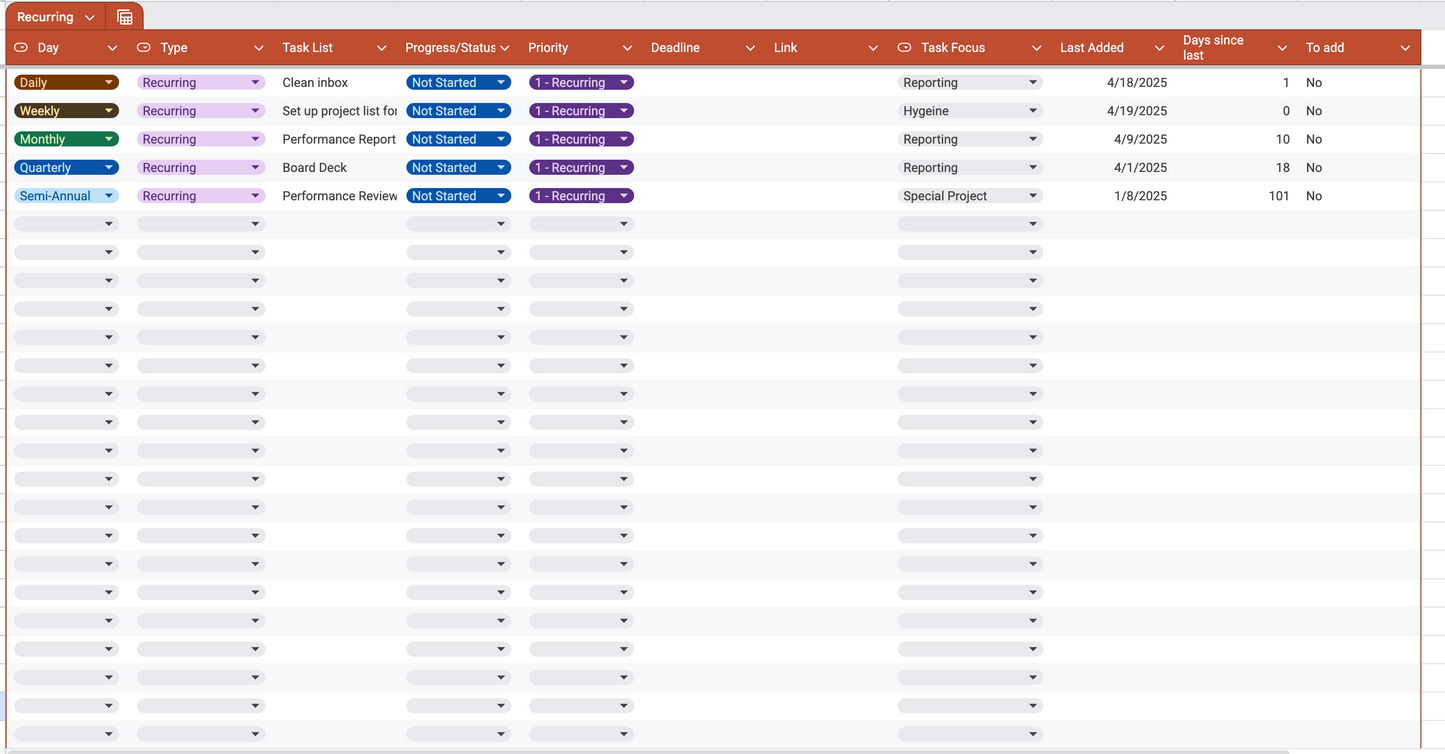
- Recurring tasks are automatically added to your task list each day based on the day they need to be done
- Kanban view
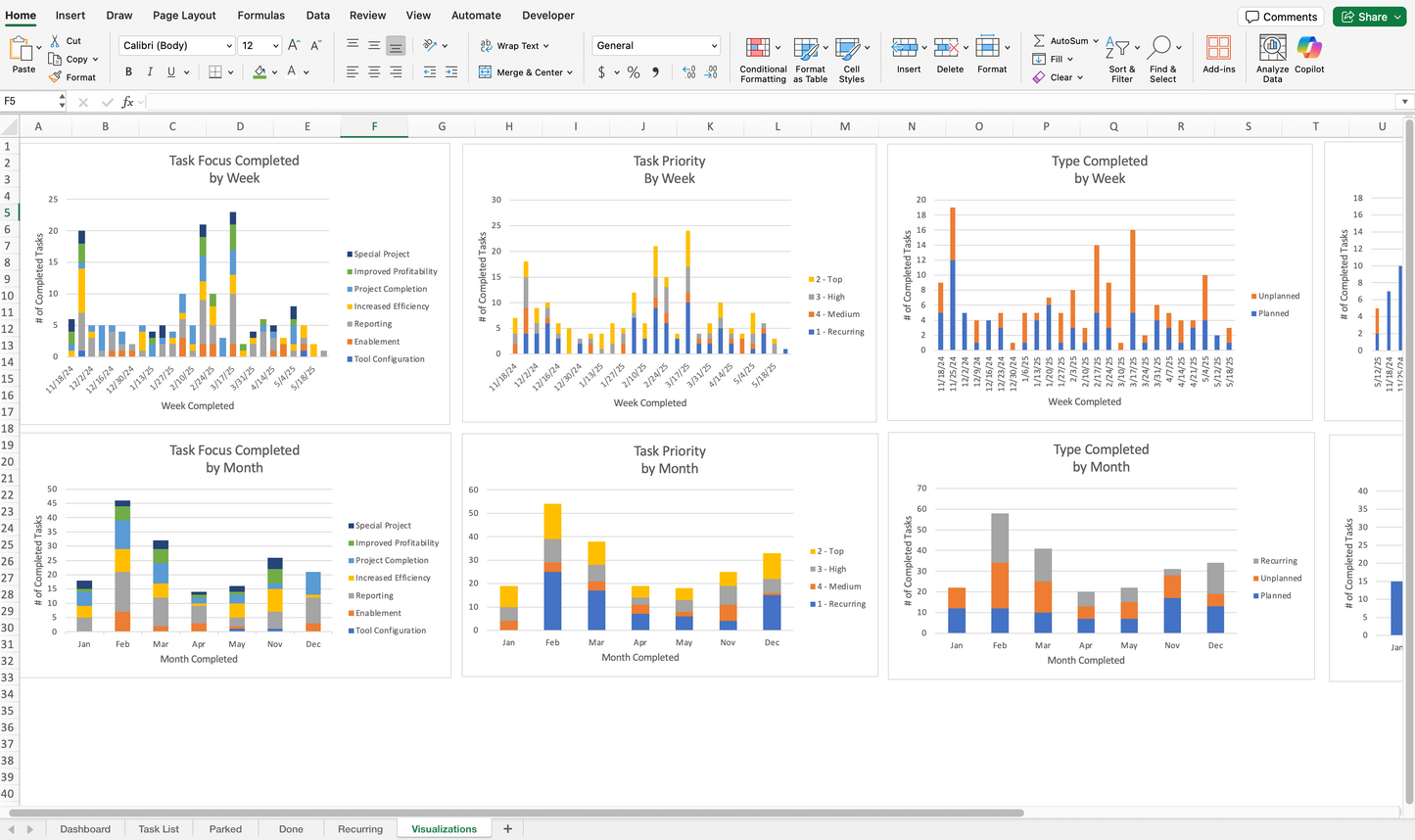
- Visualizations showing the breakdown of your task focus, priority, task type, and on time completion by week and month to easily see where you're spending your time
- Automatic timestamp when a task is added or marked as "Pending" or "Done"
- Dropdowns to keep track of your task type, progress/status, priority & task focus
- Task automatically moved to a single lists of all completed tasks and is removed from the active task lists once the task is marked as "Done"
- Task automatically moved to the Parked Tasks list when the status is updated to "Parked". This will allow you to keep an eye on tasks you need to keep on your radar but it wont clutter your task list. Marking the status as "Ready will automatically move the task back to your Task List
- Text formatting to easily identify which tasks are next
- Saved views for your table
- Completed task counter
- Easily updated and customizable
Non-Automated Task Tracker Features: (Full Walk-Through)
The non-automated version has essentially the same features as the automated version except for the automatic timestamps and automatically moving from tab to tab. There is also no parked tab. Otherwise it works the same. Don't worry though, it requires minimal upkeep to operate and super easy to use!
Make it your own by updating the color schemes and adding additional columns that would help your productivity.
Excel:
Automatic Task Tracker Features: (Full Walk-Through)
- Quickly add recurring tasks to your task list with one click
- Dashboard with a calendar snapshot as well as a prioritization list for pending tasks
- Kanban view
- Dashboard with a calendar snapshot as well as a prioritization list for pending tasks
- Automatic timestamp when a task is marked as "Not Started", "Pending", or "Done"
- Task automatically moved to a single lists of all completed tasks and is removed from the active task lists once the task is marked as "Done"
- Visualizations showing the breakdown your task focus, priority, task type, and on time completion by week and month to easily see where you're spending your time
- Task Automatically moves to the "Parked" tab when the status is marked as "Parked" to keep track of it separate from your task list.
- Task automatically moved from the "Parked" tab back to the "Task List" tab when the status is marked as "Ready"
- Drop-downs to keep track of your task type, progress/status, priority & task focus
- Text formatting to easily identify which tasks are next
- Completed task counter
- Easily updated and customizable
Non-Automated Task Tracker Features: (How to use)
The non-automated version has essentially the same features as the automated version except for the automatic timestamps and automatically moving from tab to tab. There is also no parked tab. Otherwise it works the same. Don't worry though, it requires minimal upkeep to operate and super easy to use!
Make it your own by updating the color schemes and adding additional columns that would help your productivity.
Improving your workday (and mental health) should be for everyone. If you cannot afford this item or want to make it yourself, I have a step-by-step tutorial on my Youtube Channel @sheetsbyolan where I teach you how to make it from scratch. If you cannot afford it and are unable to make it from scratch just send me an email!
Share